Mac-native
Menus, keyboard shortcuts, resizable layouts, and native file handling.
Mac-native accounting, built for small businesses
Akaunty brings invoices, payments, reports, inventory, payroll, and ledgers into one fast offline Mac app, with the structure accountants expect and the polish Mac users want.
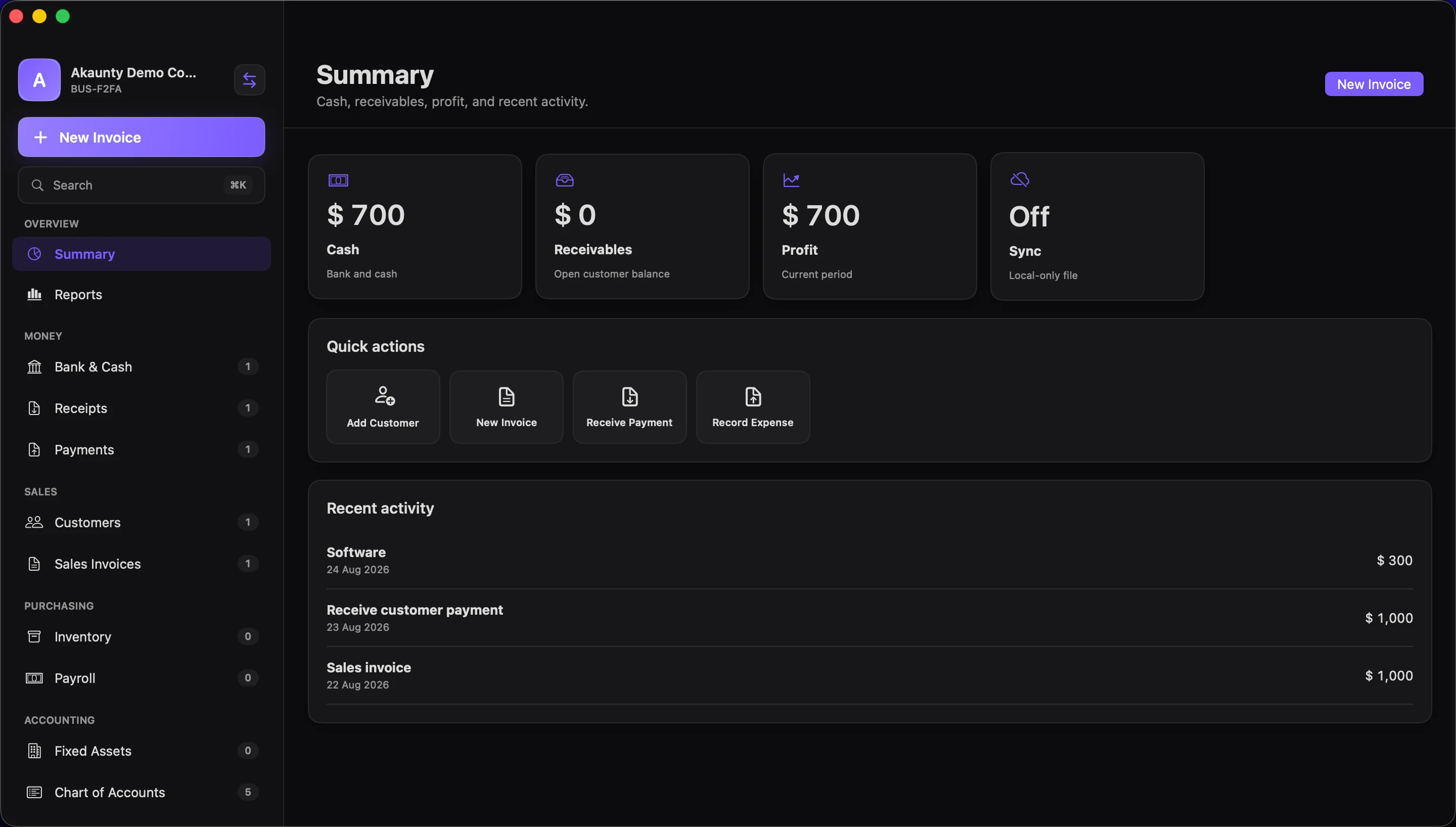
Menus, keyboard shortcuts, resizable layouts, and native file handling.
Every sales, purchase, payment, and adjustment posts to the ledger.
Work from business files on your Mac, with optional backup and sync planned later.
Sales documents
Create sales invoices, estimates, quotes, and credit notes without leaving the same accounting flow. Customer records, line totals, tax codes, and ledger postings stay connected.
Invoice
Bank and cash
Track receipts and payments, organize bank and cash accounts, and reconcile statement lines against your books.
Ledger-backed reports
Akaunty is not a spreadsheet skin. Transactions create balanced journal entries so reports, account balances, and business history stay explainable.
Quick answers
Akaunty is a Mac-native accounting app for small businesses that want local-first books, structured accounting modules, and ledger-backed reports.
Akaunty is for solo owners and small teams that want invoices, payments, reports, inventory, payroll, and bank reconciliation in a focused Mac app instead of another browser tab.
Akaunty includes customers, suppliers, sales invoices, credit notes, estimates and quotes, receipts, payments, bank and cash accounts, inventory, payroll, fixed assets, journal entries, chart of accounts, reports, and global search.
Akaunty uses local business files on your Mac. Optional paid backup and sync are planned for a later release.
Modules
Akaunty keeps the familiar module-based workflow, then makes it feel calmer, faster, and more Mac-native.
Active development for macOS
Akaunty’s first release focuses on local-first accounting, clean documents, and dependable reports. Optional backup and sync are planned as paid add-ons later.
Get launch updatesFAQ
No. Akaunty is built as a Mac app so it can feel fast, native, and comfortable for daily accounting work.
Akaunty uses local business files on your Mac. Optional backup and sync are planned later.
The app is being built around customers, suppliers, invoices, quotes, credit notes, receipts, payments, inventory, payroll, bank reconciliation, journals, reports, and fixed assets.
Akaunty follows a familiar module-based accounting workflow, but the goal is a more polished Mac-native experience rather than a clone.
The Mac app is designed for light and dark mode. The marketing site intentionally uses a light design.